MediBill Standard Manual
Complete guide for MediBill Standard web software. Configure cloud sales, check real-time store analytics, and build tax-compliant accounting logs.
🏠 1. Cloud Dashboard & Financial Analytics
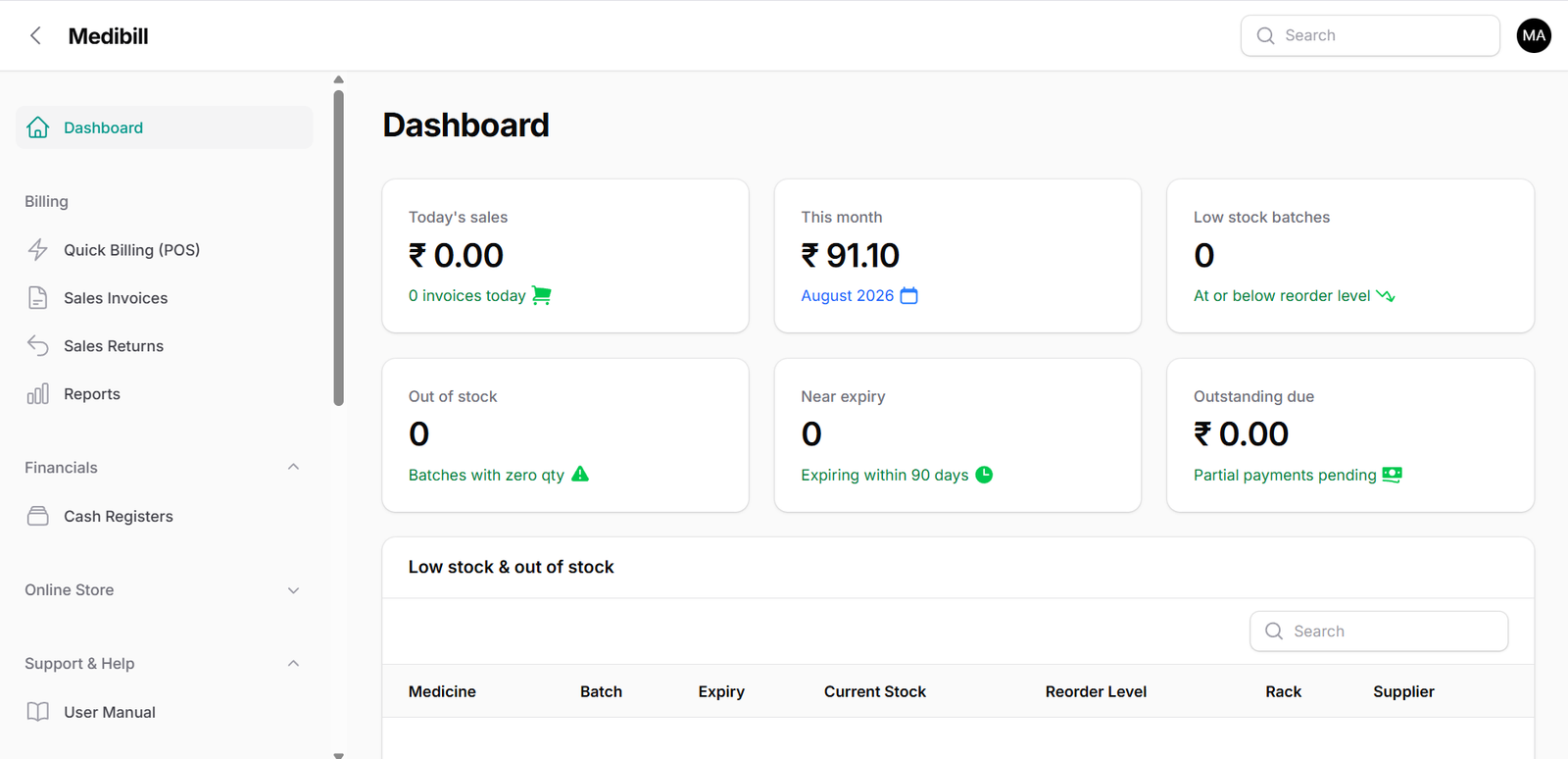
The Standard Dashboard provides live business health metrics, visualizing daily gross margins, transaction volumes, and financial trajectories in real-time:
Configure the analytical reports to drill down into store financials, expenses, net profits, and visual performance graphs:
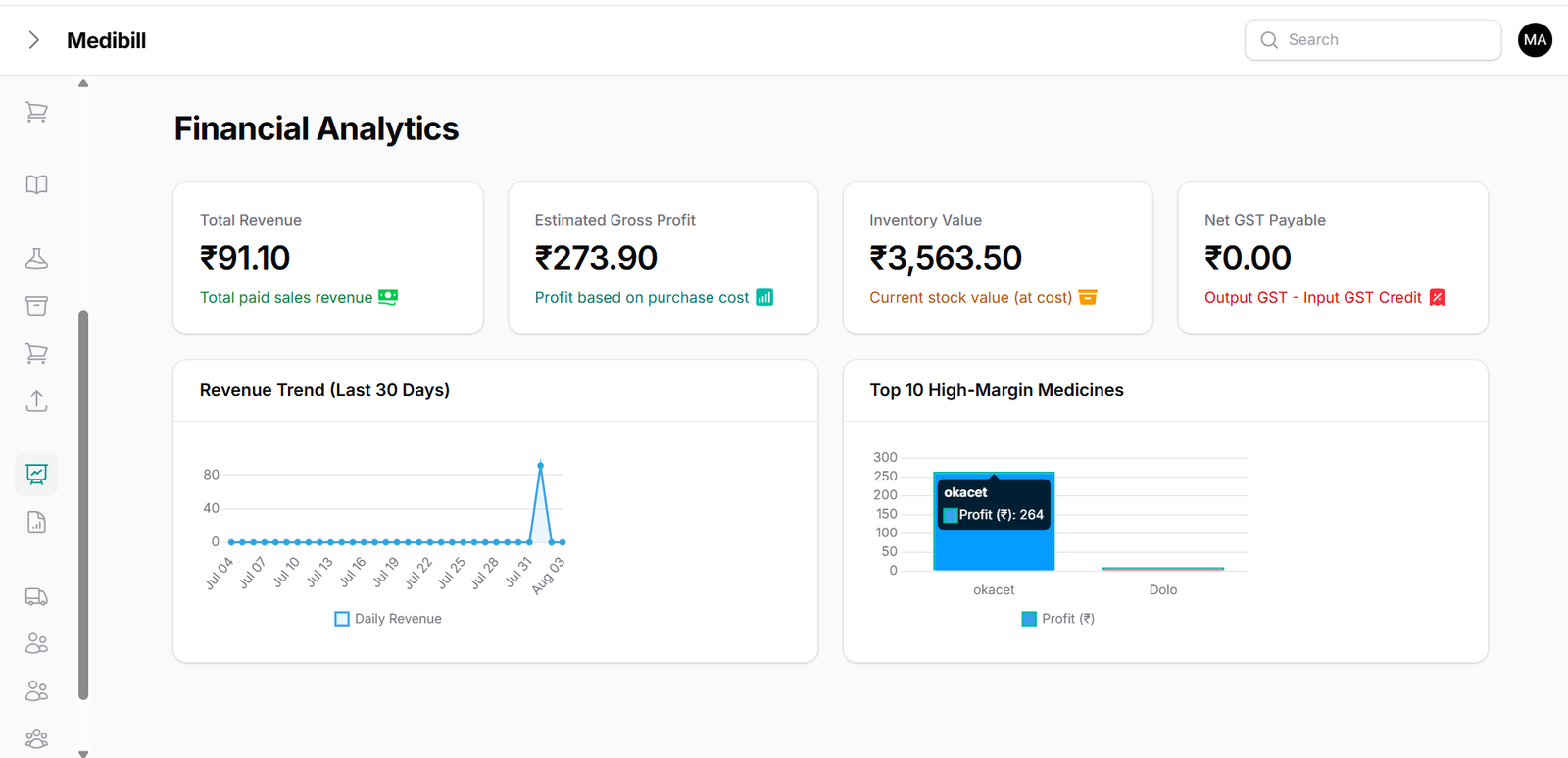
- Sales Performance: Visualizes daily billing volumes and payment trends.
- Revenue Breakdown: Tracks sales margins, cash drawer intake, and UPI balances.
- Expense Logging: Monitors supplier invoices and overheads to calculate accurate net profit.
⚡ 2. Sales Register & Quick Billing
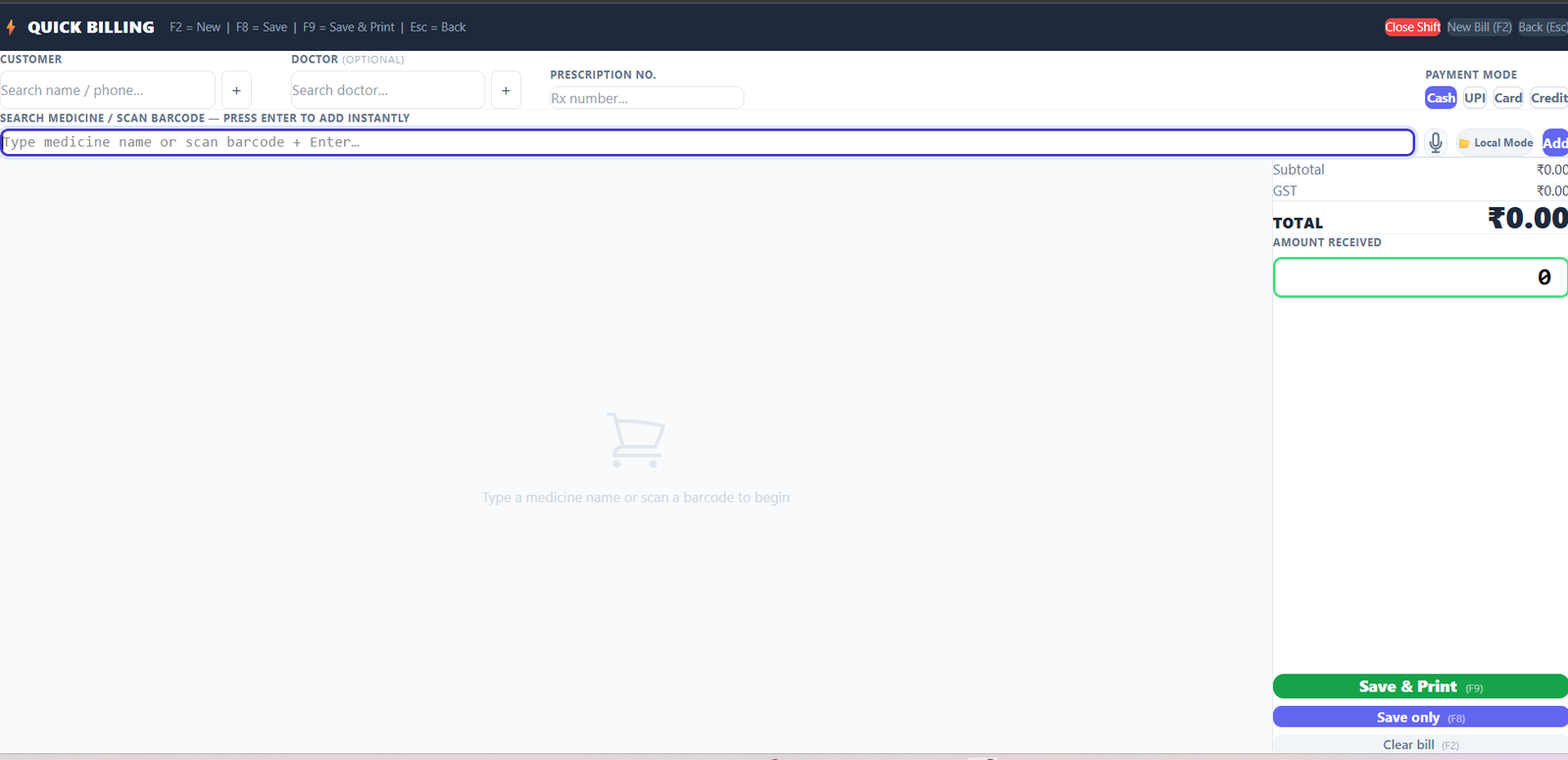
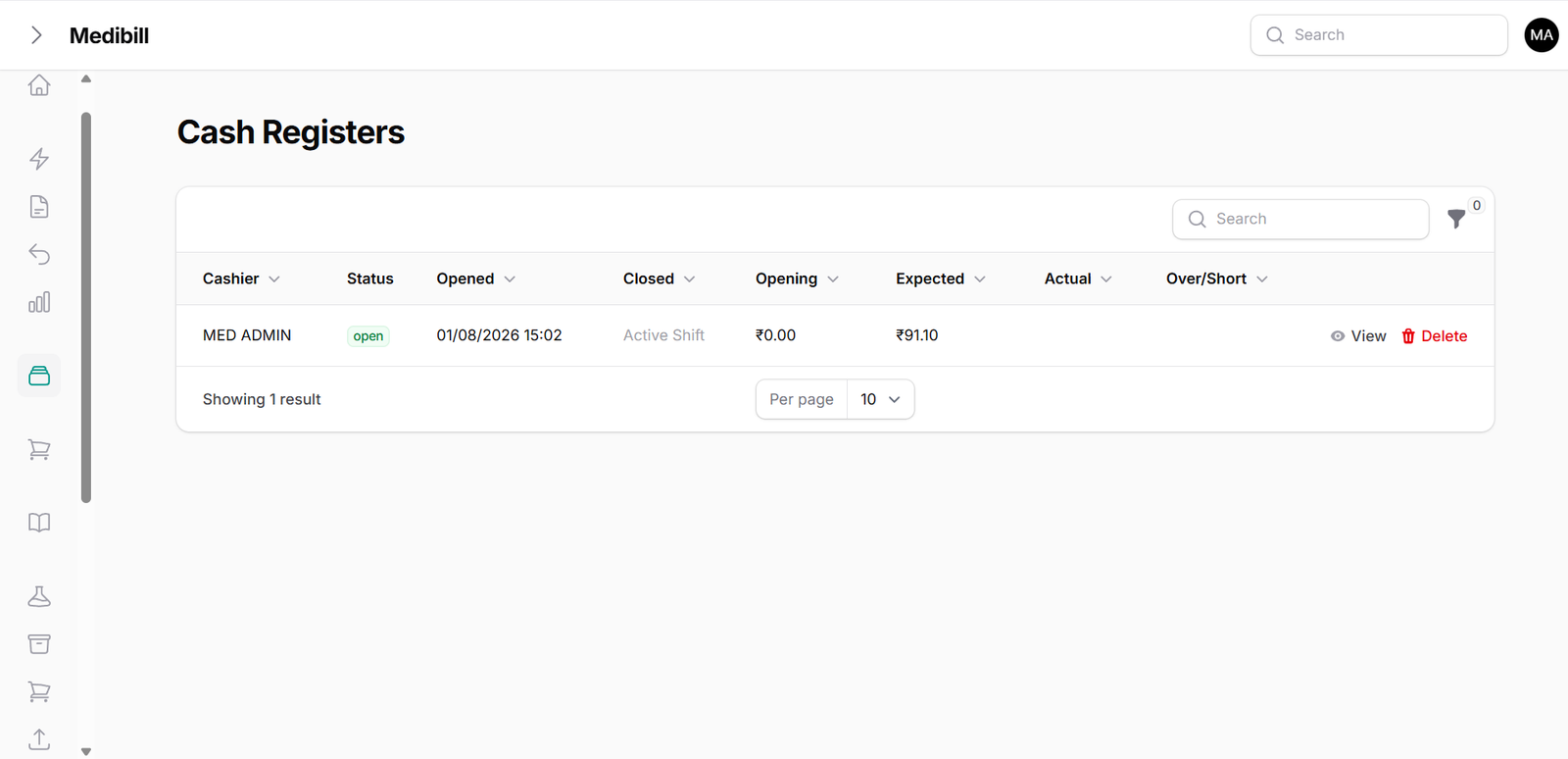
Input retail counter orders using standard high-speed billing, and log counter cash drawer transactions seamlessly:
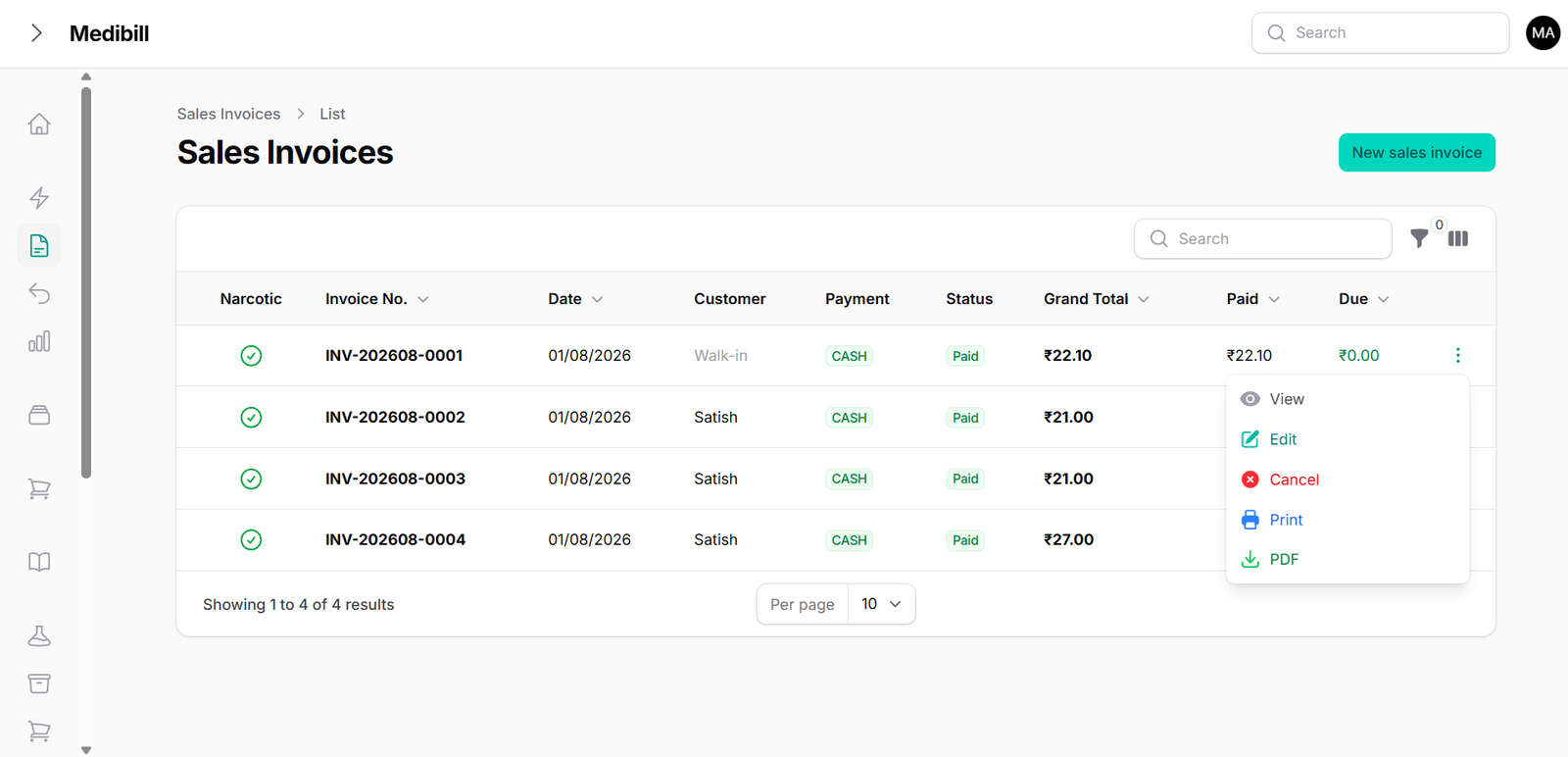
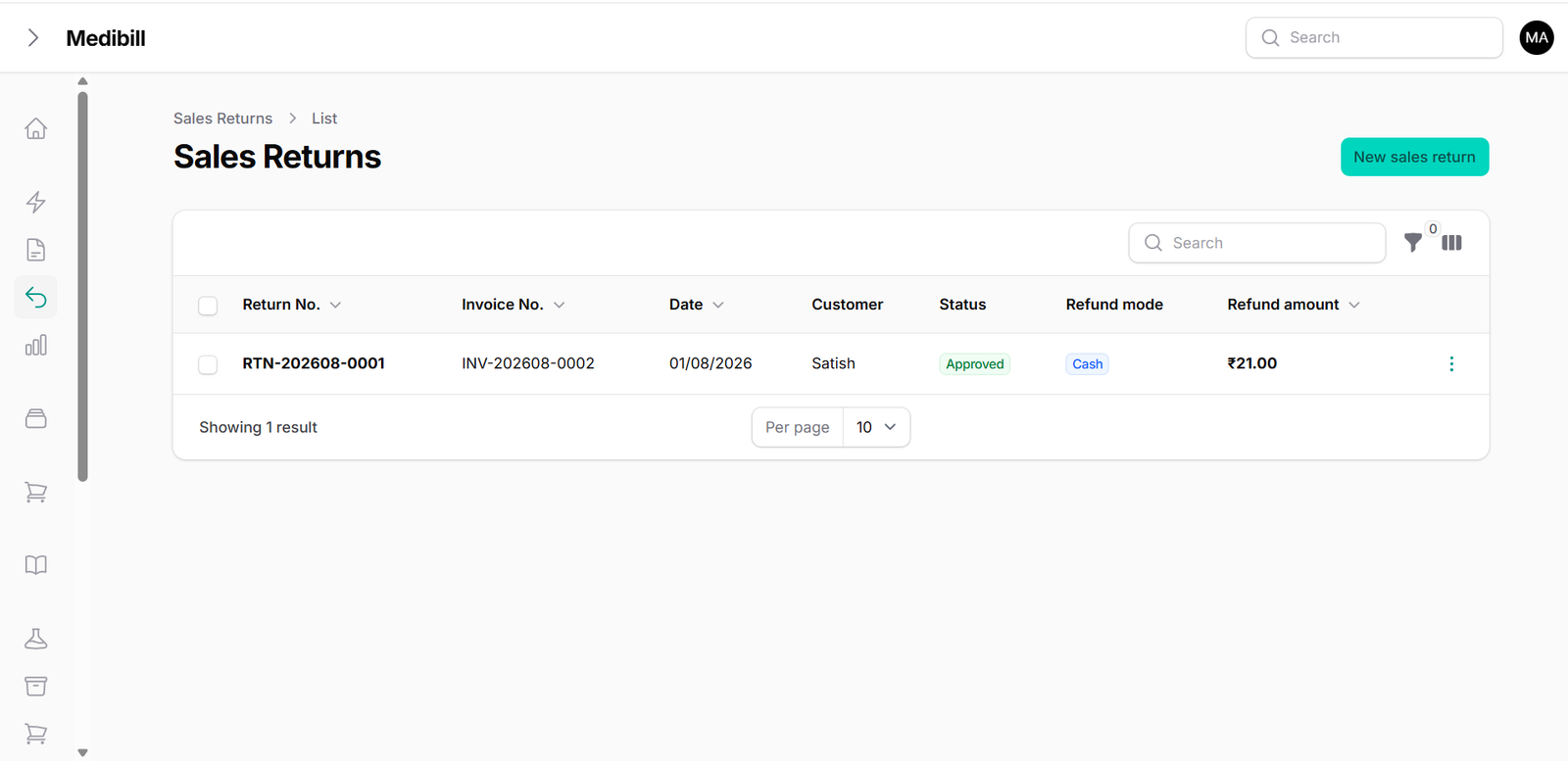
Query previous client invoices, track pending dues, print duplicate invoices, and log credit/returns notes:
- Counter Cash Register: Open and close registers daily to monitor cash drawer mismatches.
- Historical Invoices: Search, filter, and view print histories of generated invoices.
- Sales Return: Process medicine returns to instantly update inventory counts and credit ledger values.
📦 3. Inventory Database & Batch Expirations
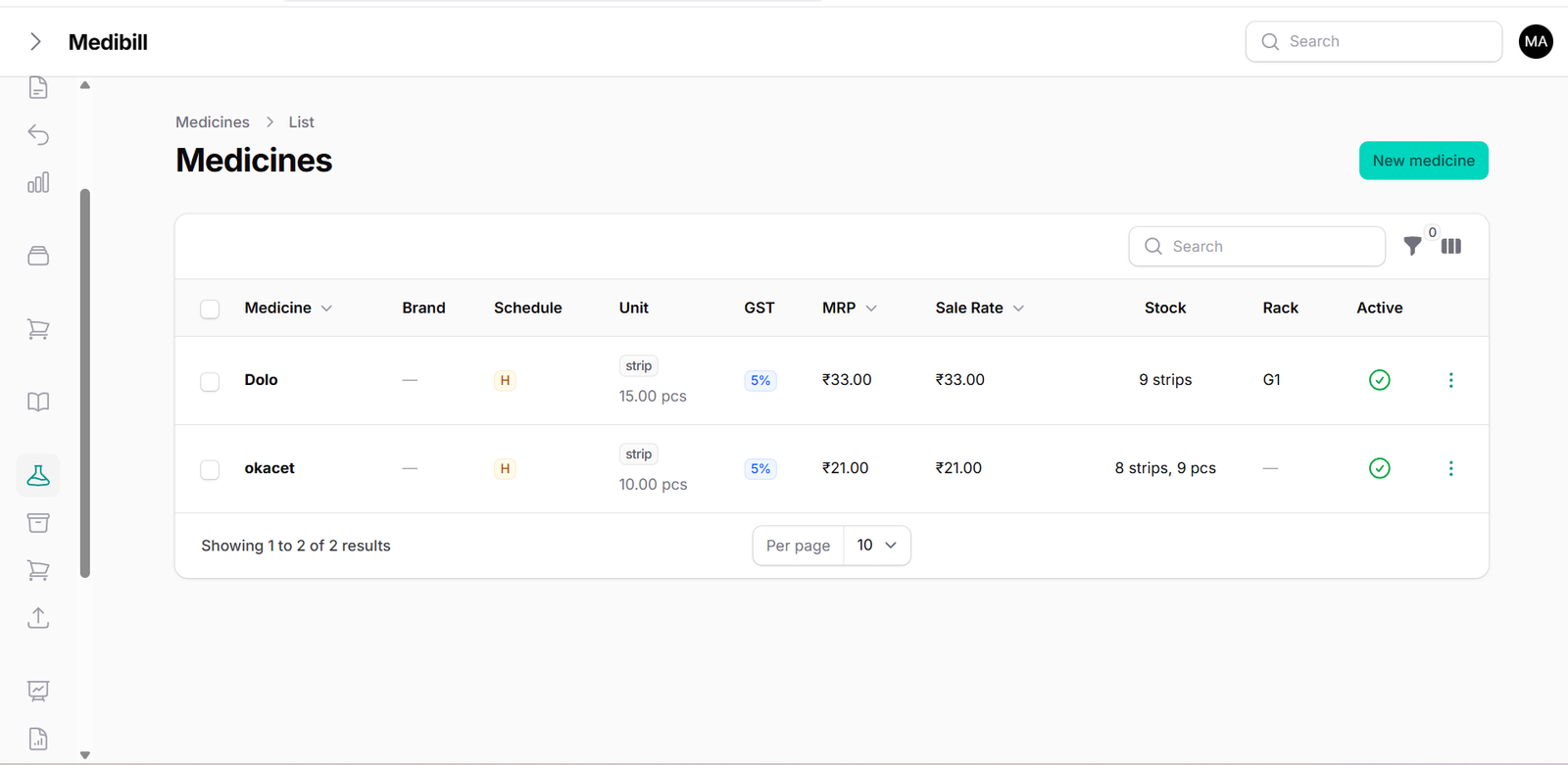
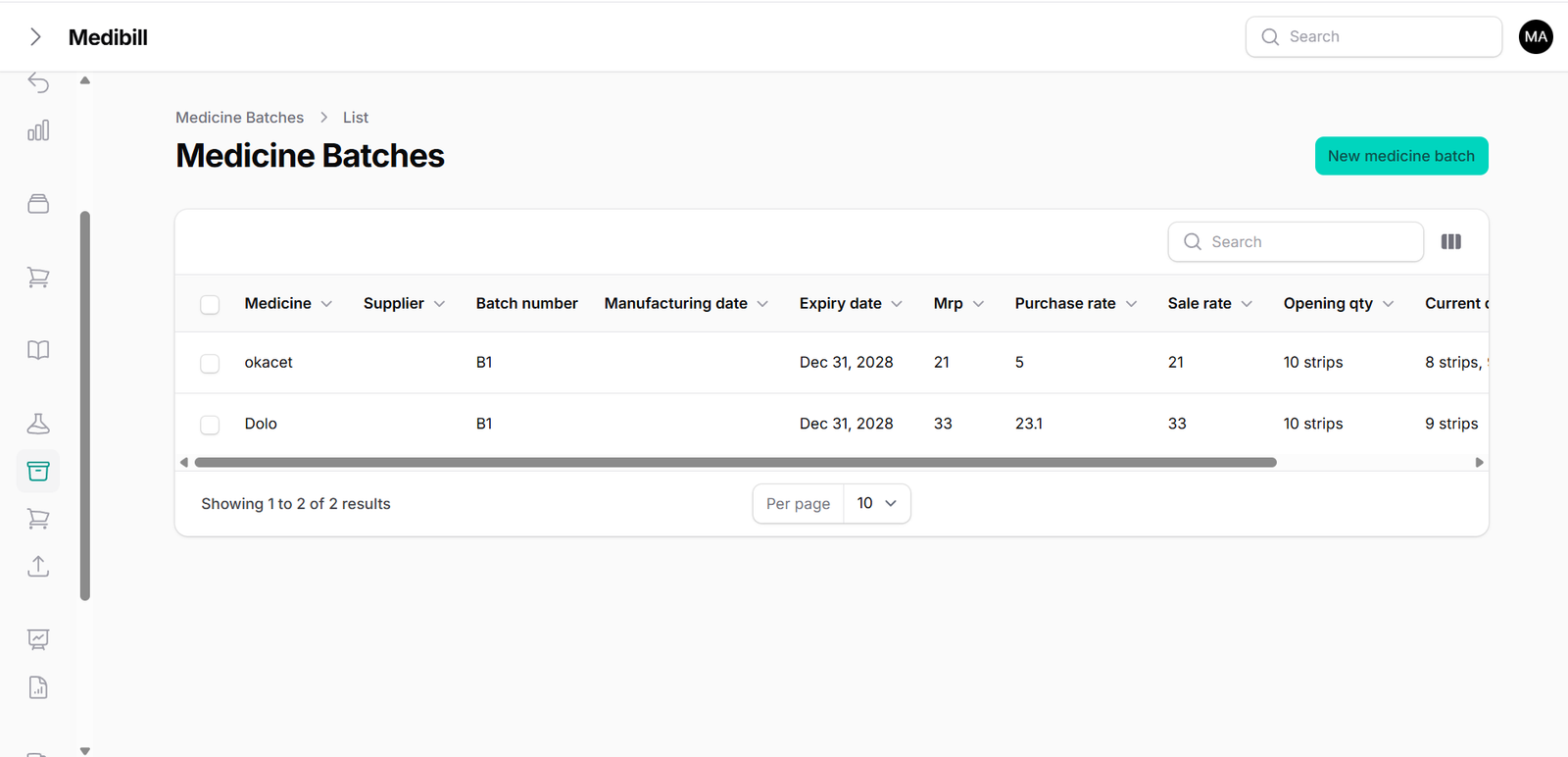
Standard Tier tracks multi-batch inventory logs. Add custom medicine parameters and control batch-specific pricing:
Import large product databases instantly using our bulk Excel/CSV uploading tool:
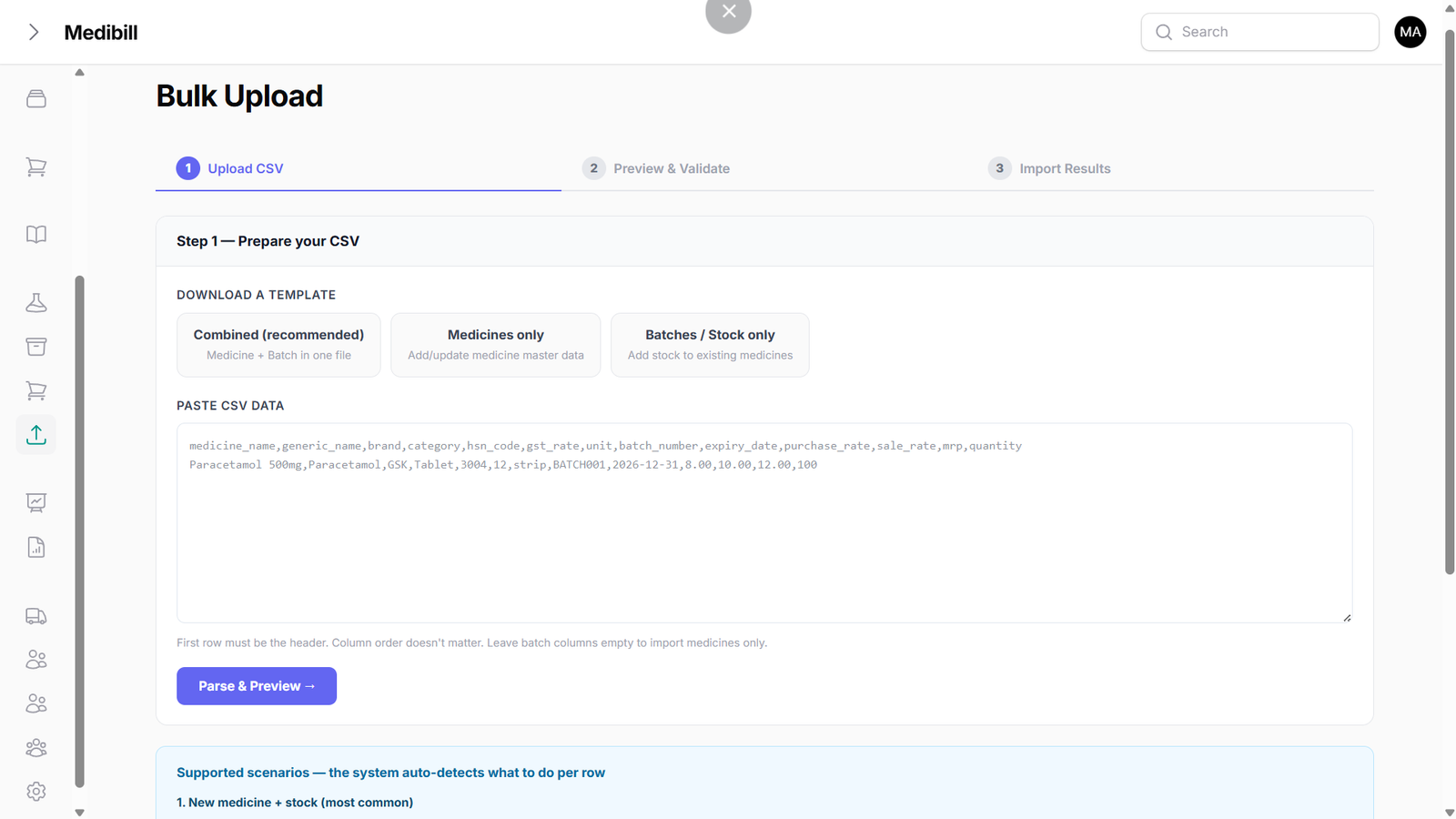
- Multi-Batch Indexing: Record distinct manufacturing batches, expiry timelines, and cost rates for the same drug.
- Stock Warnings: Flag inventory alerts on item batches approaching their expiration thresholds.
- Bulk Importation: Download our template, enter your stock data, and upload all items to the cloud in seconds.
🛒 4. E-Commerce Integration & Online Orders
Review customer orders placed online via your e-commerce digital store. Track deliveries and dispatch statuses directly:
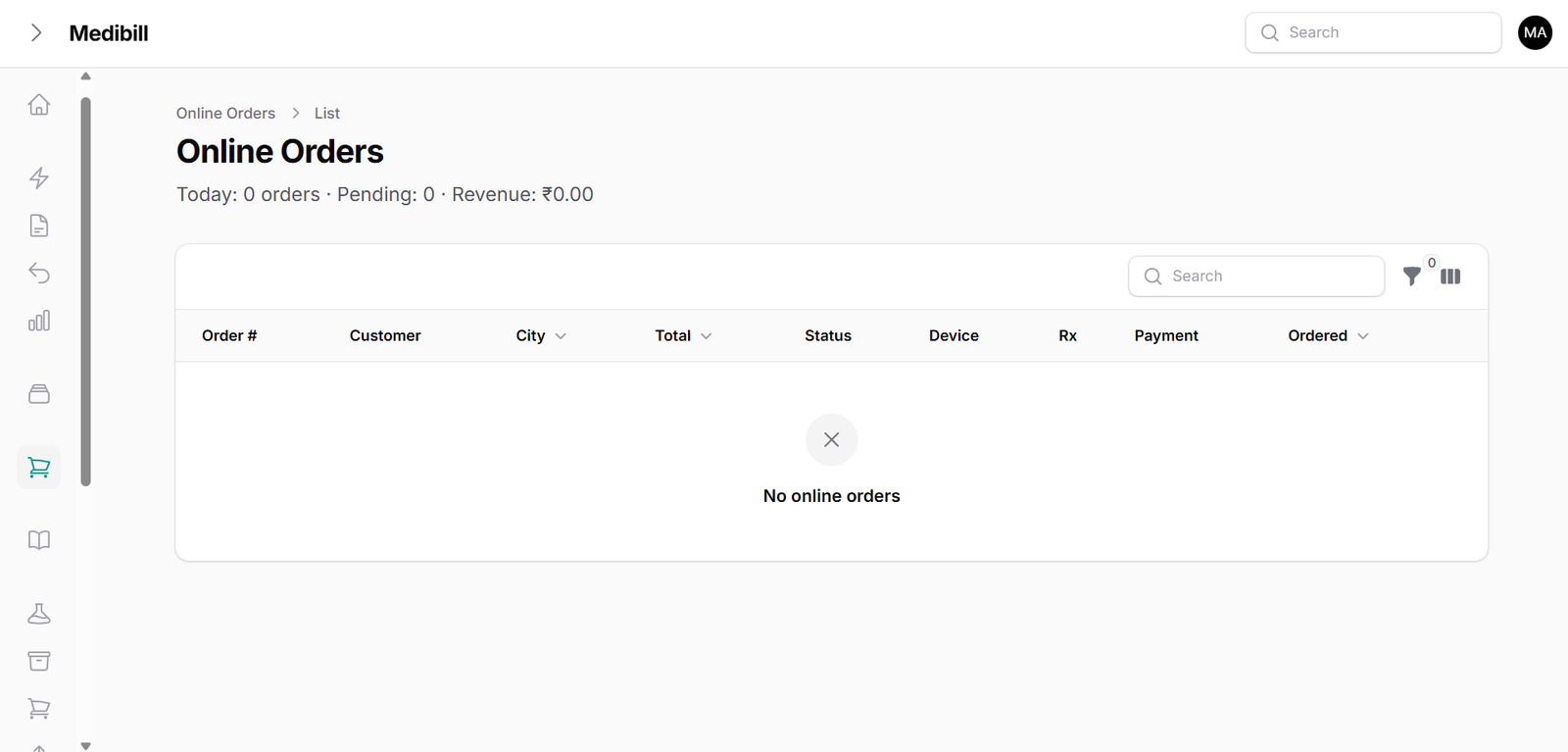
- Live Orders Sync: Receive instant notification when customers order via your custom online pharmacy portal.
- Dispatch Control: Update transaction statuses from 'Pending' to 'Shipped' or 'Completed' upon dispatch.
- Integrated Ledger: Completing online deliveries automatically updates your central sales reports.
👥 5. Contacts Directory (Customers, Doctors, Suppliers)
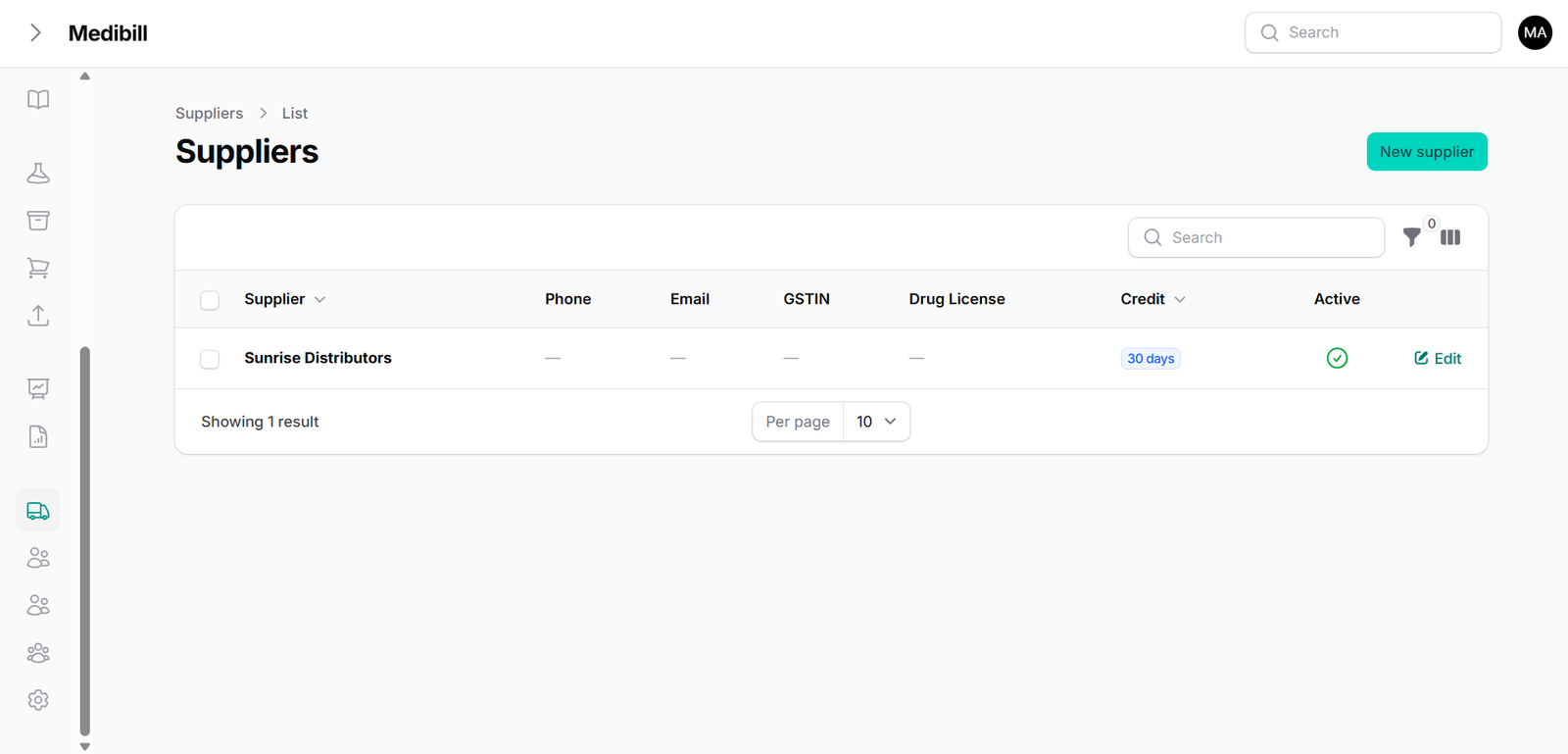
Maintain profile directories for your clients, referring doctors, and wholesaler suppliers:
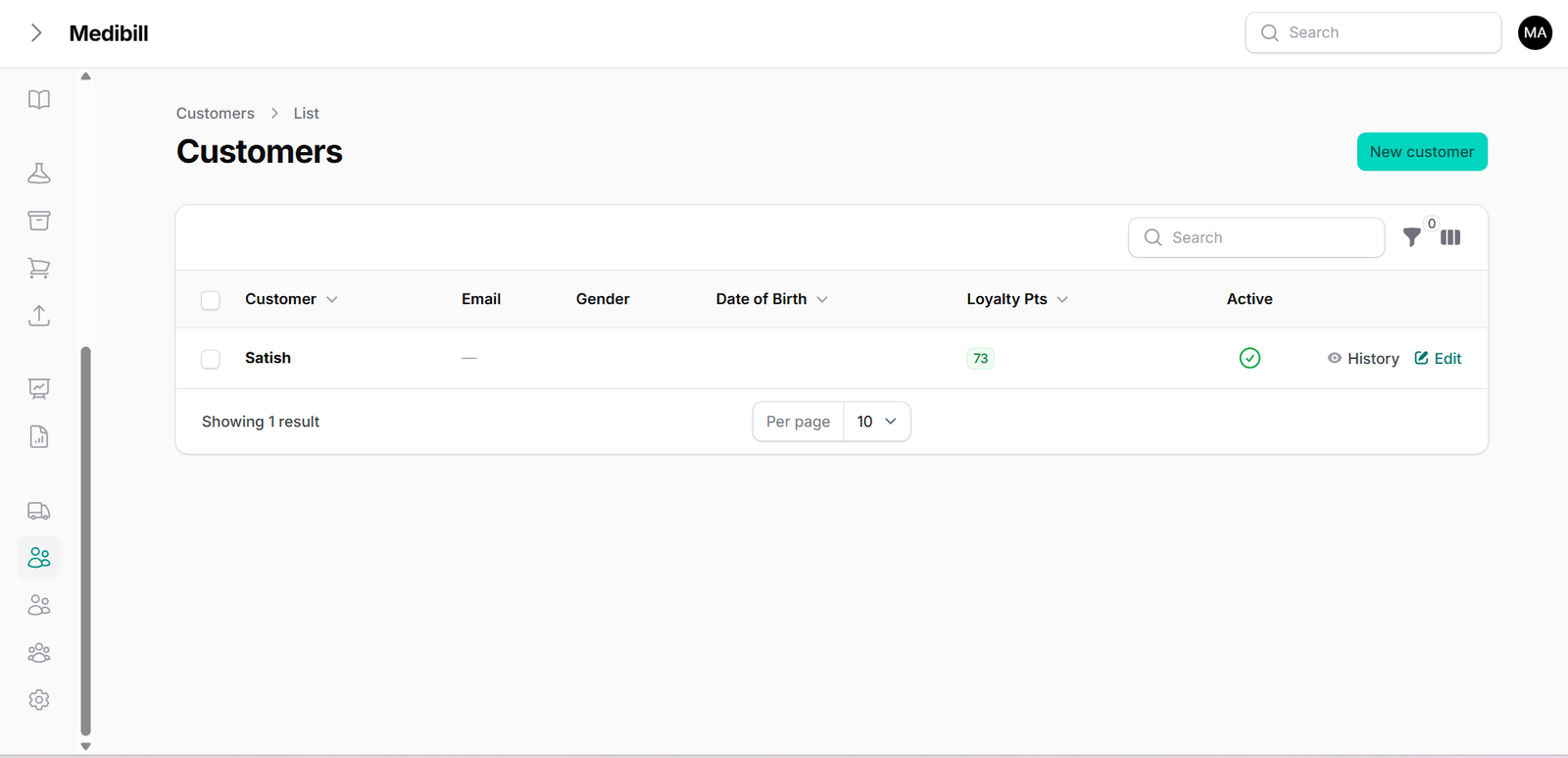
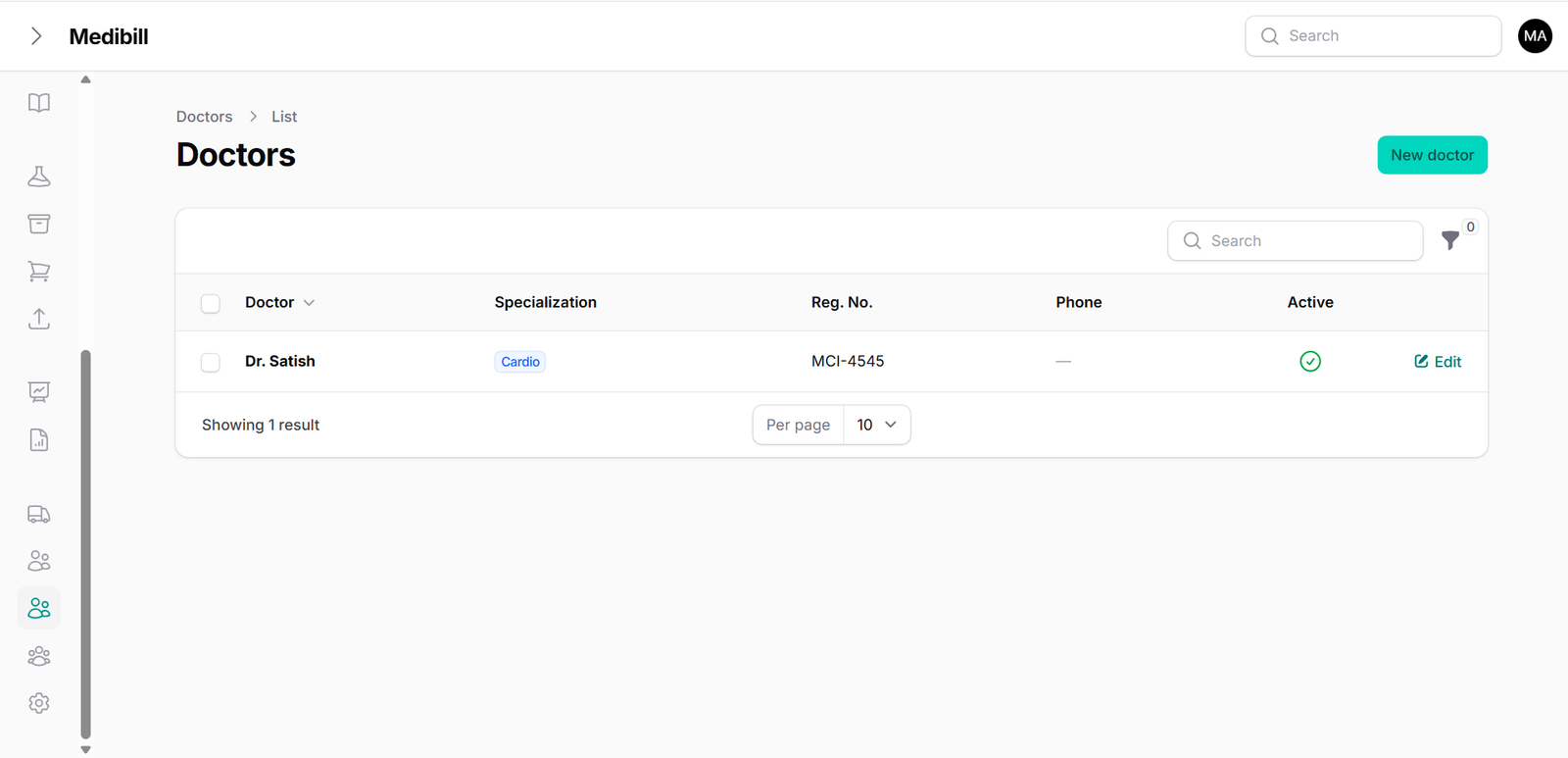
- Customer profiles: Log customer contact info, pending balances, and invoice histories.
- Referring Doctors: Maintain a fast-select list of doctors to print on prescription invoices.
- Suppliers Ledger: Manage contact numbers and due balances for your wholesale drug suppliers.
📊 6. Comprehensive Reports & GST Bookkeeping
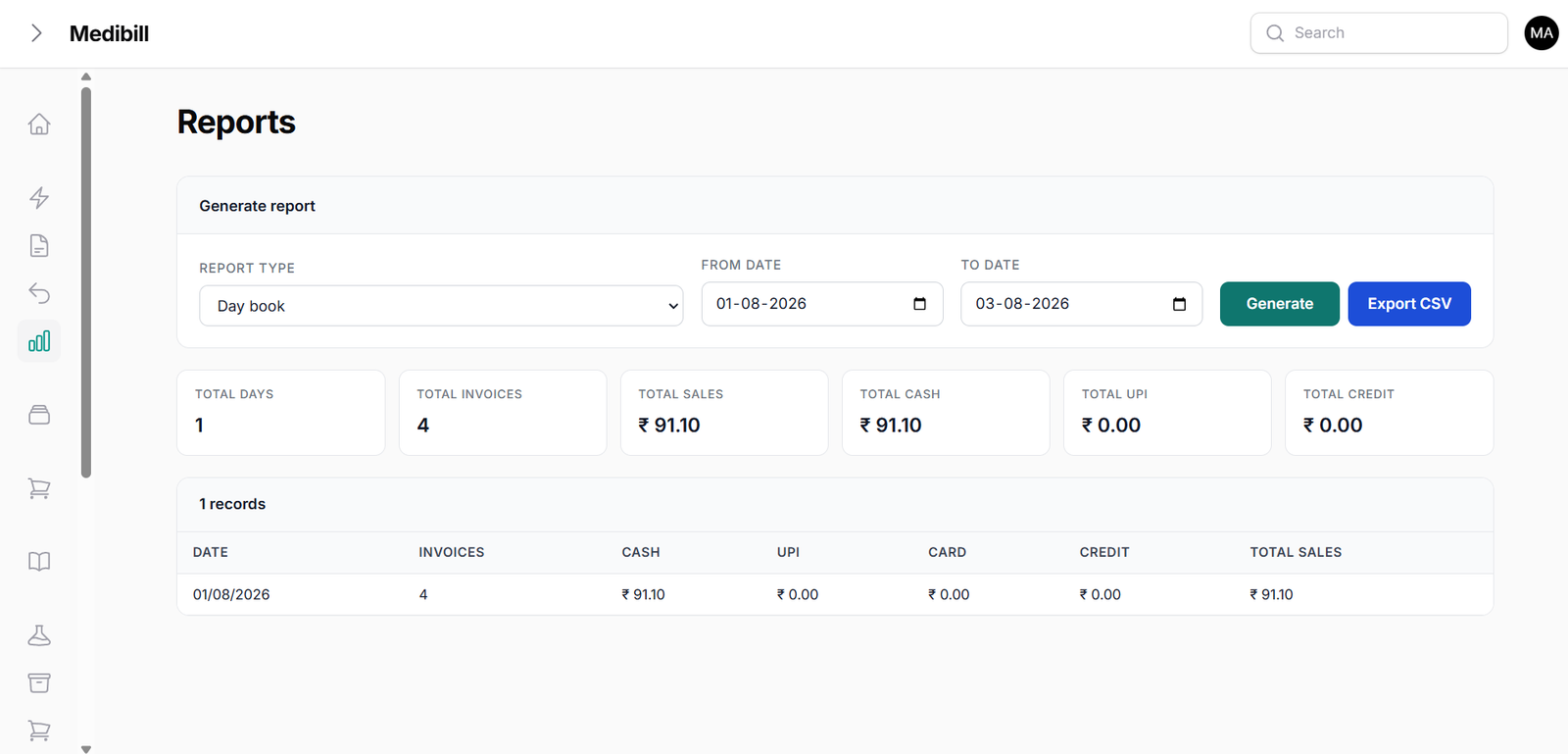
Standard Tier tracks multi-level analytics. Run detailed sales reports, tracking volume totals and medicine performance:
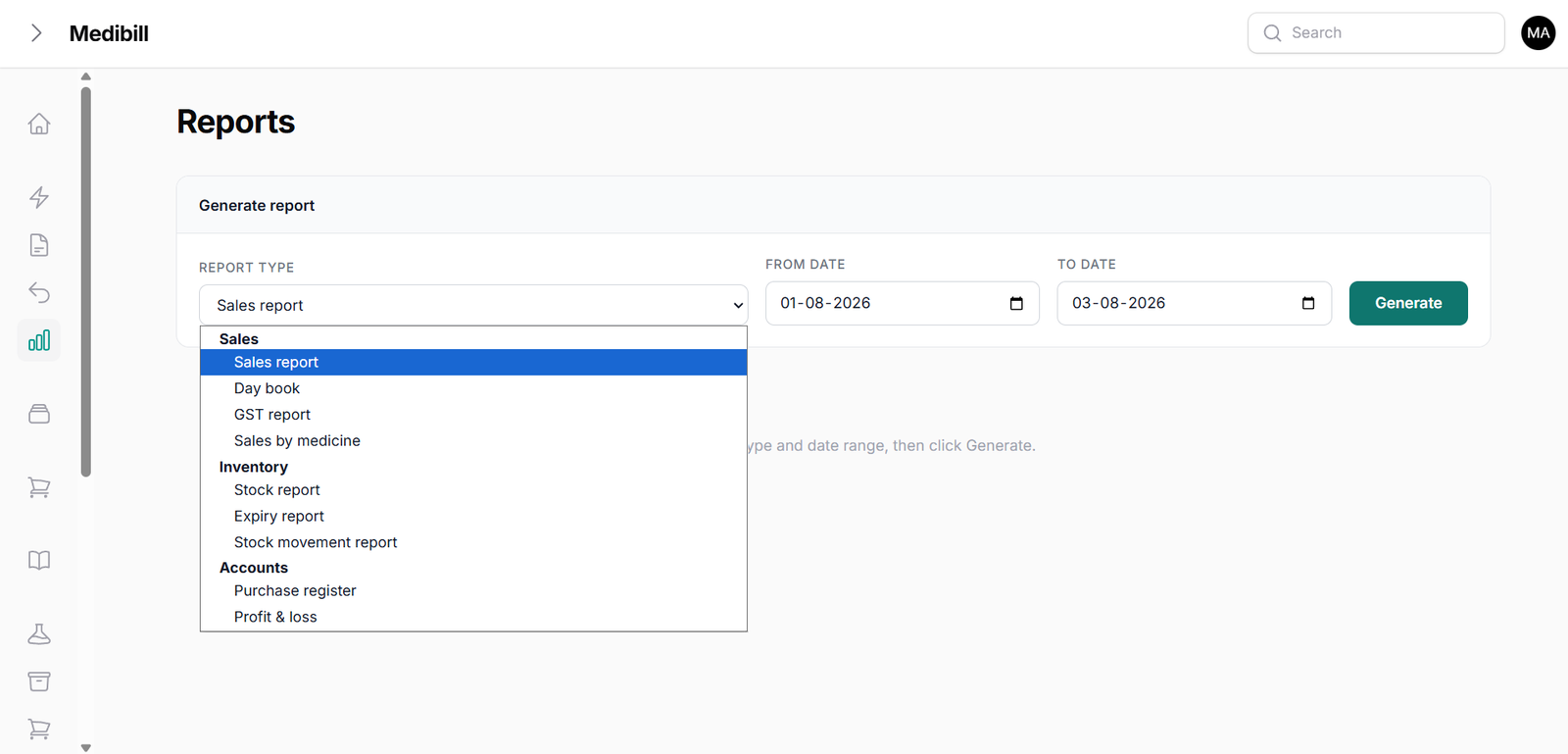
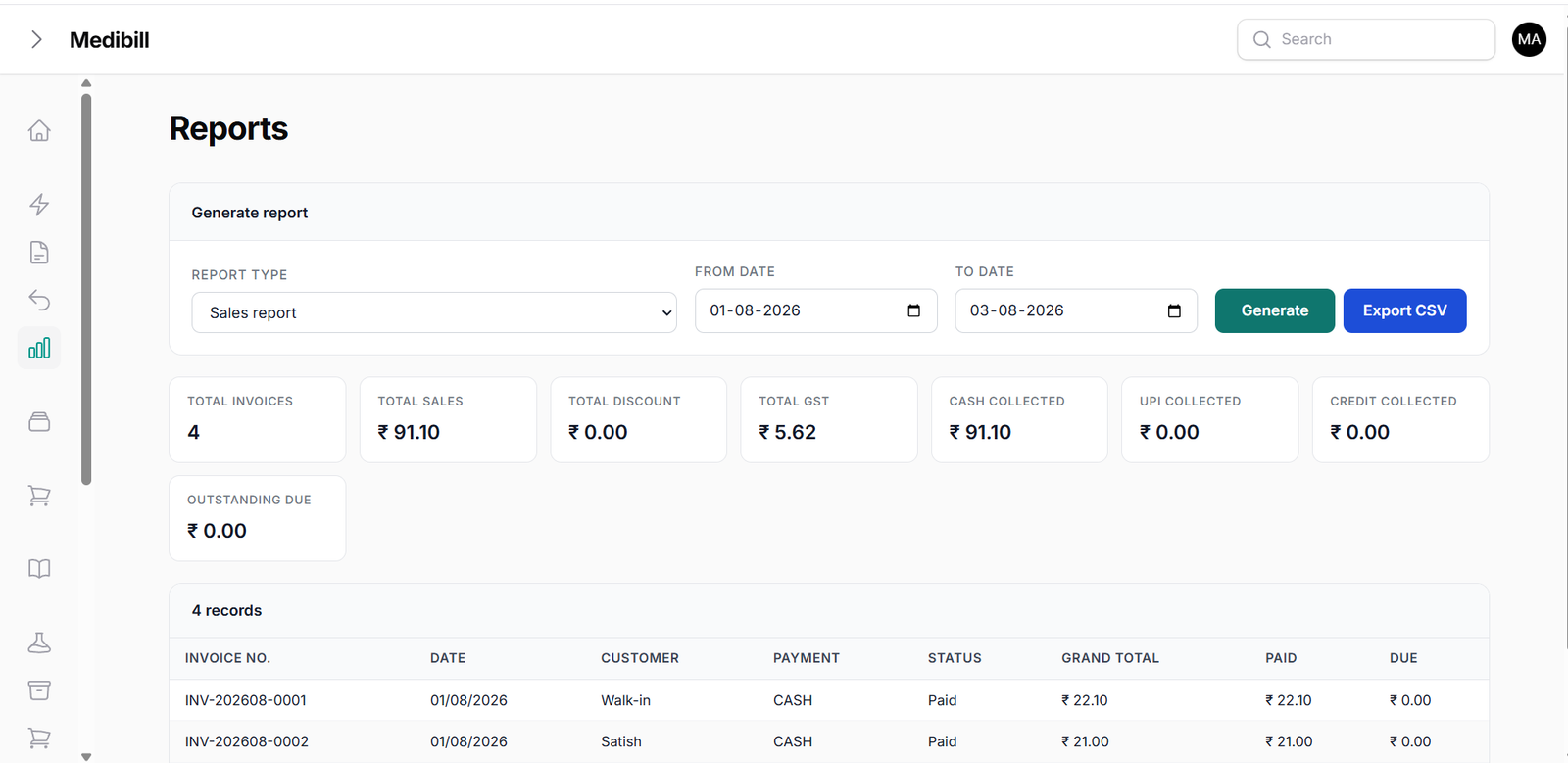
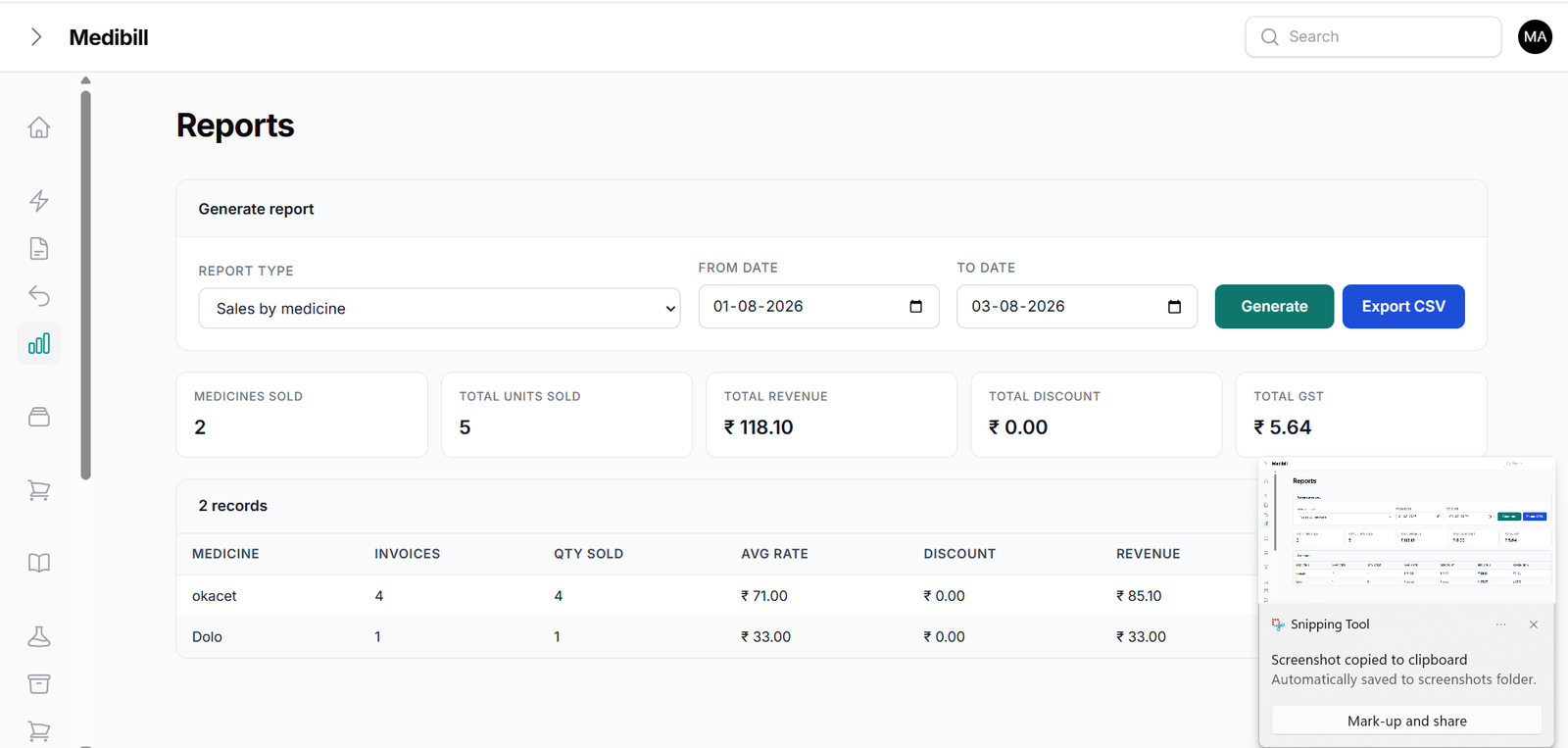
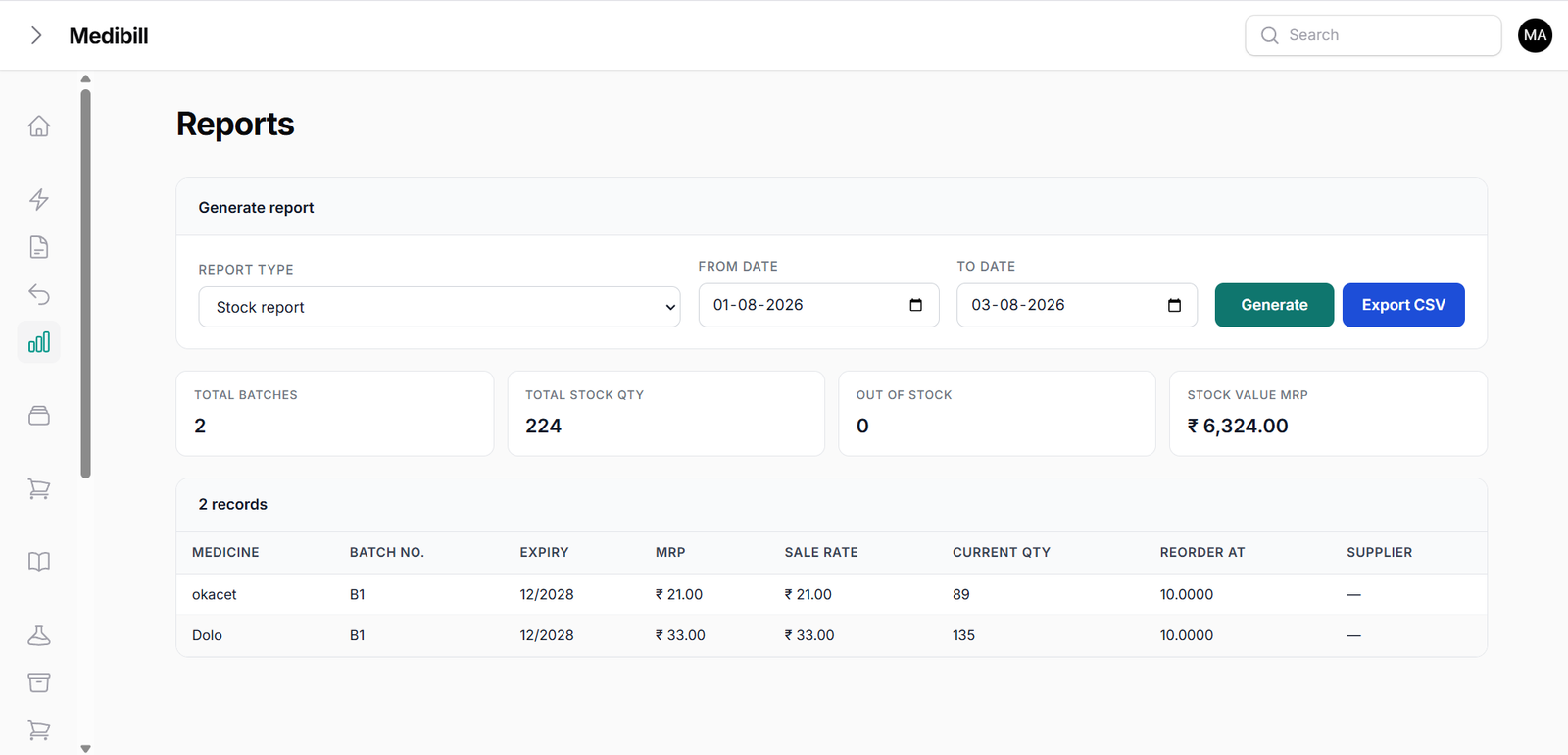
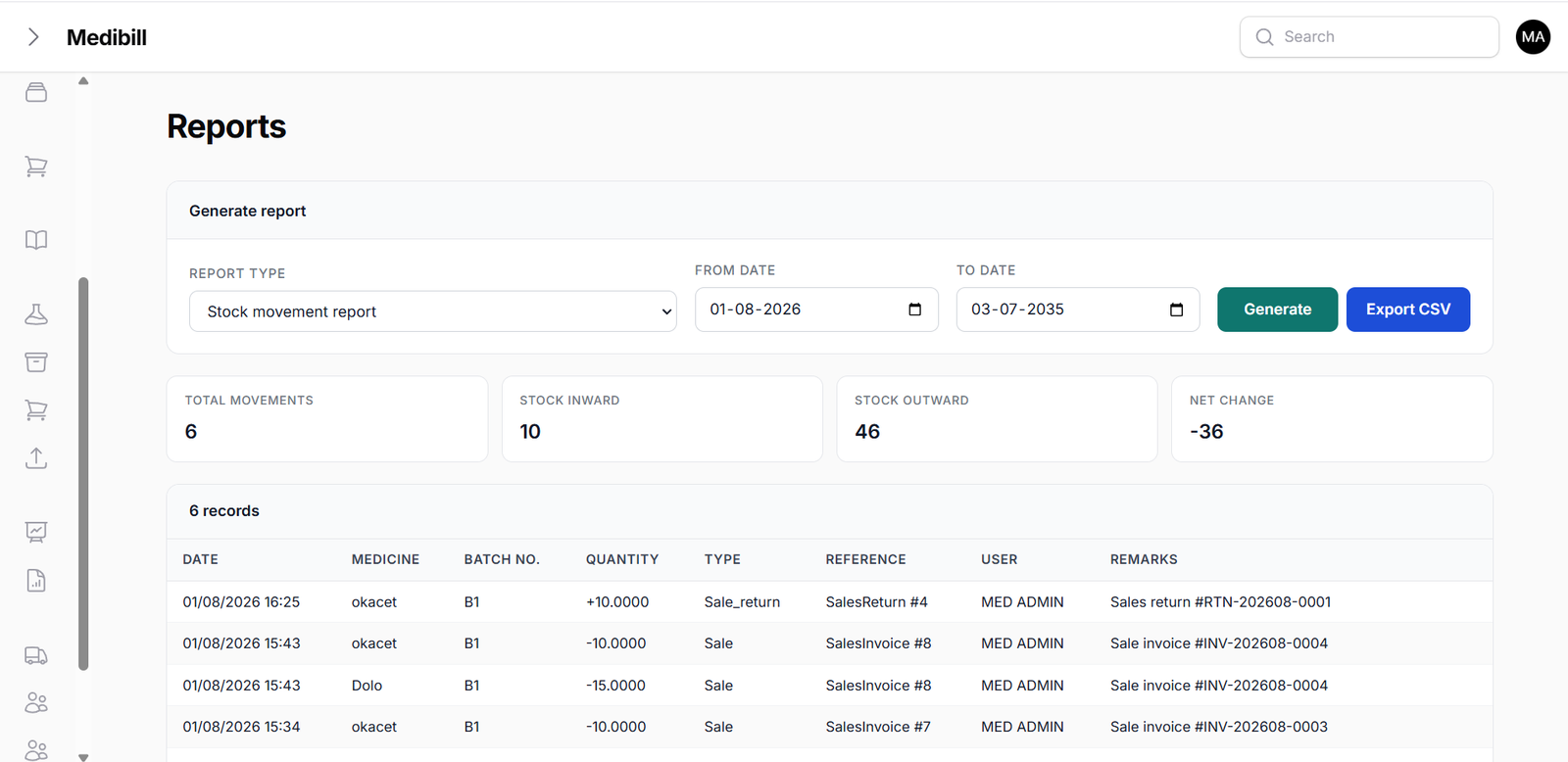
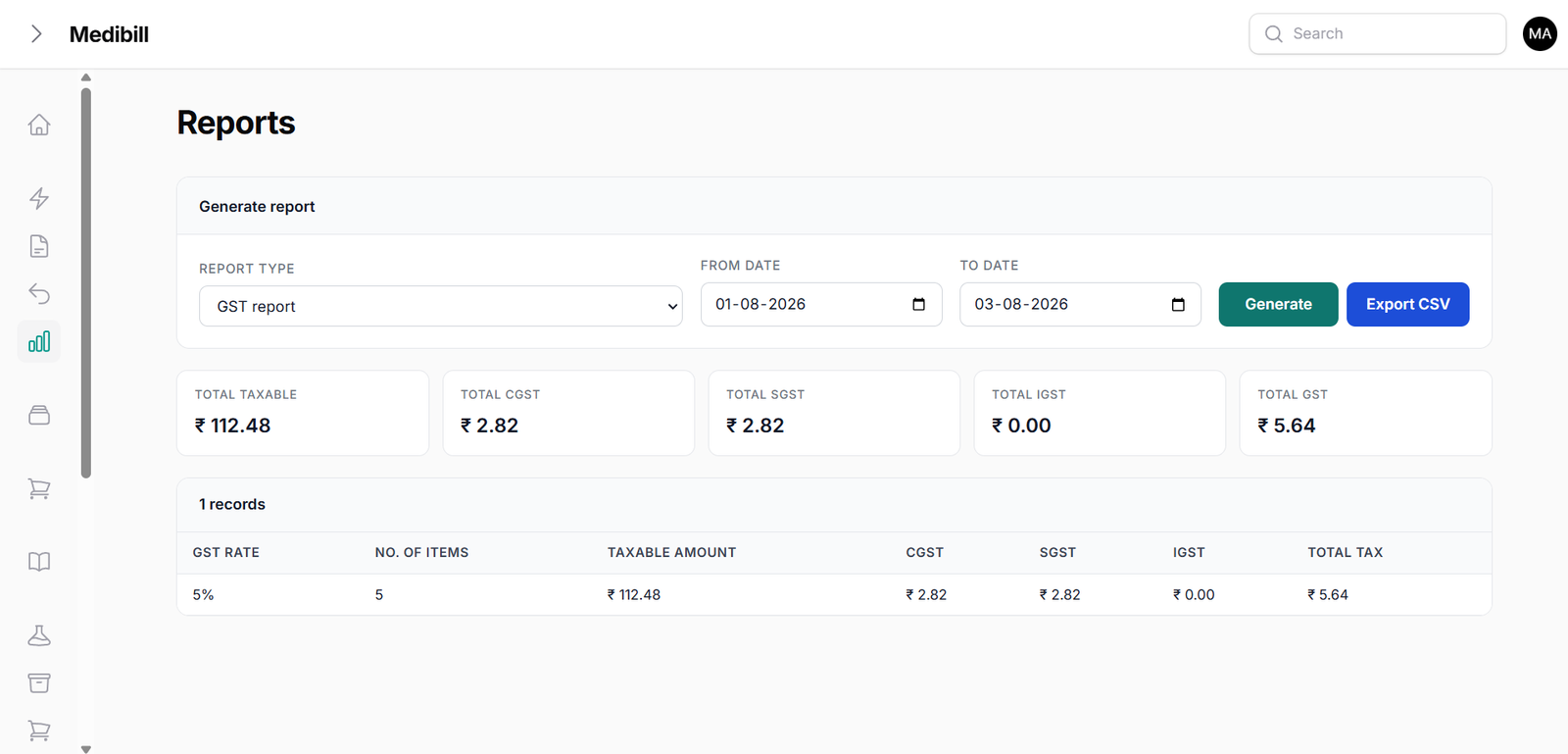
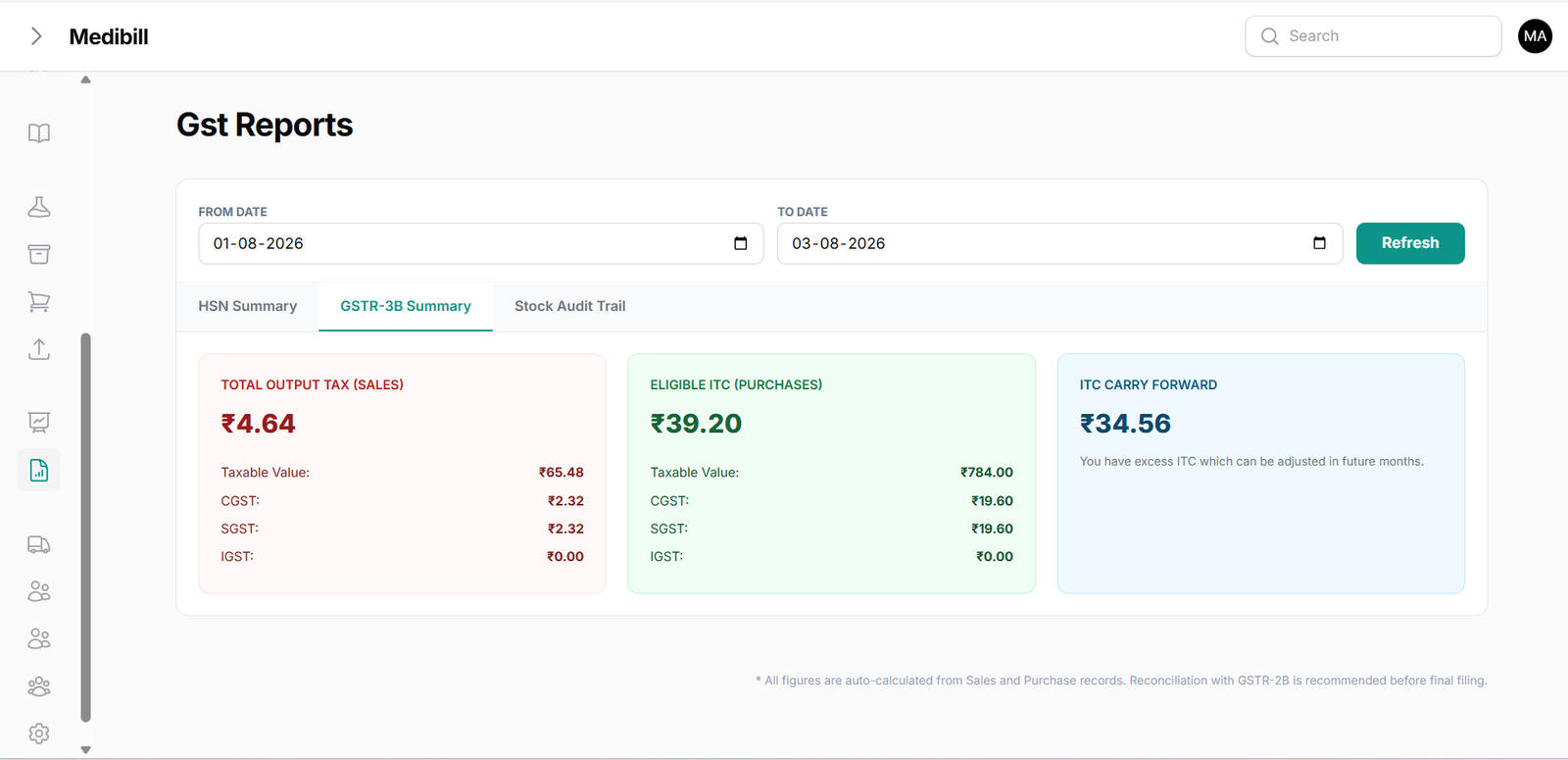
Audit current inventory levels, generate stock movement logs, and download complete GST calculations:
- Day Book: Provides a timeline of transactions, register adjustments, and returns made during the day.
- Stock Movement: Audit in/out inventory patterns to optimize medicine orders.
- GST reporting: Auto-calculates CGST, SGST, IGST tax totals, and exports GSTR-3B spreadsheets.
⚙️ 7. System Customization & Settings
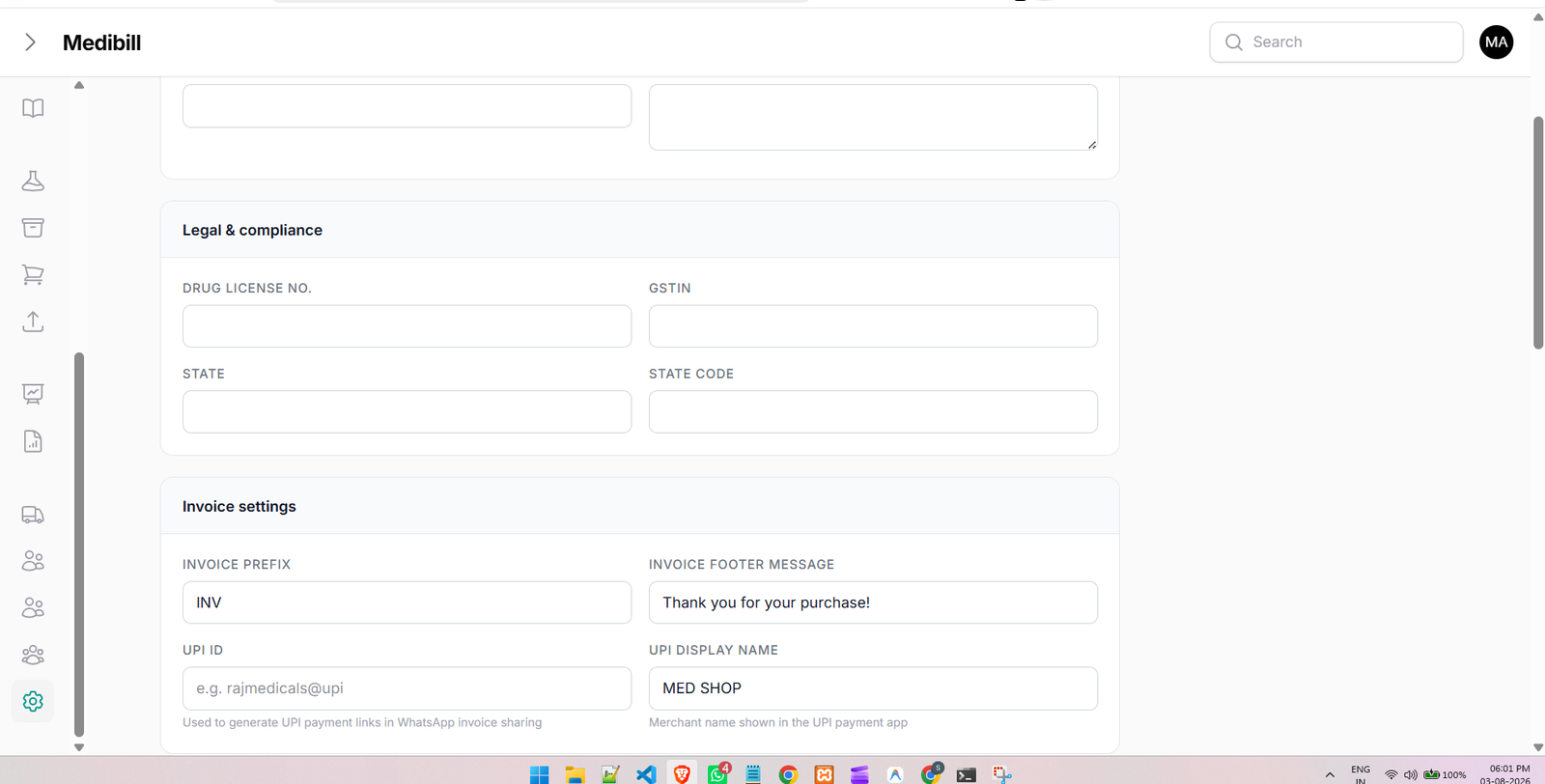
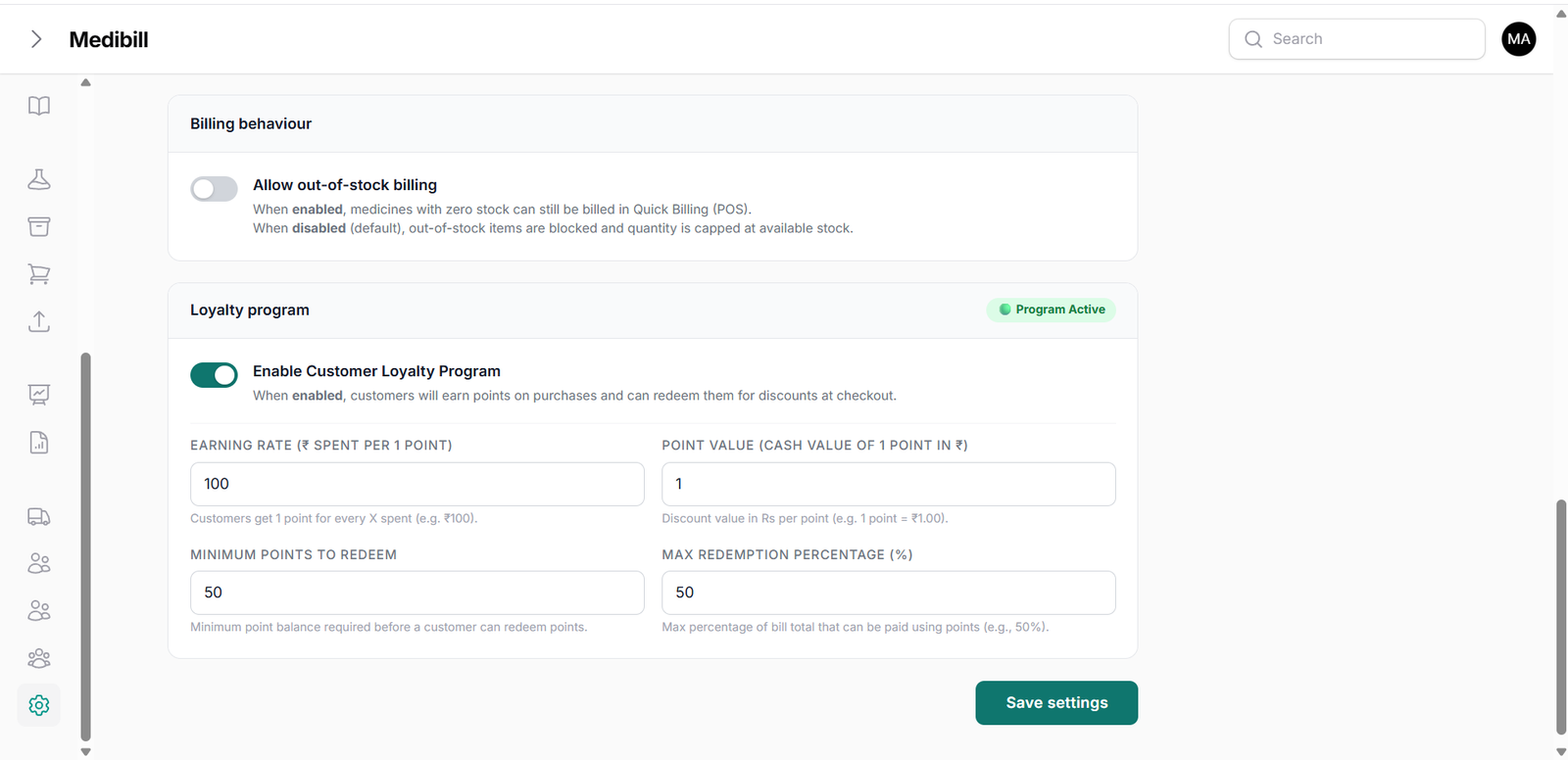
Configure your shop header metadata, customize printed invoice fields, and adjust printer models:
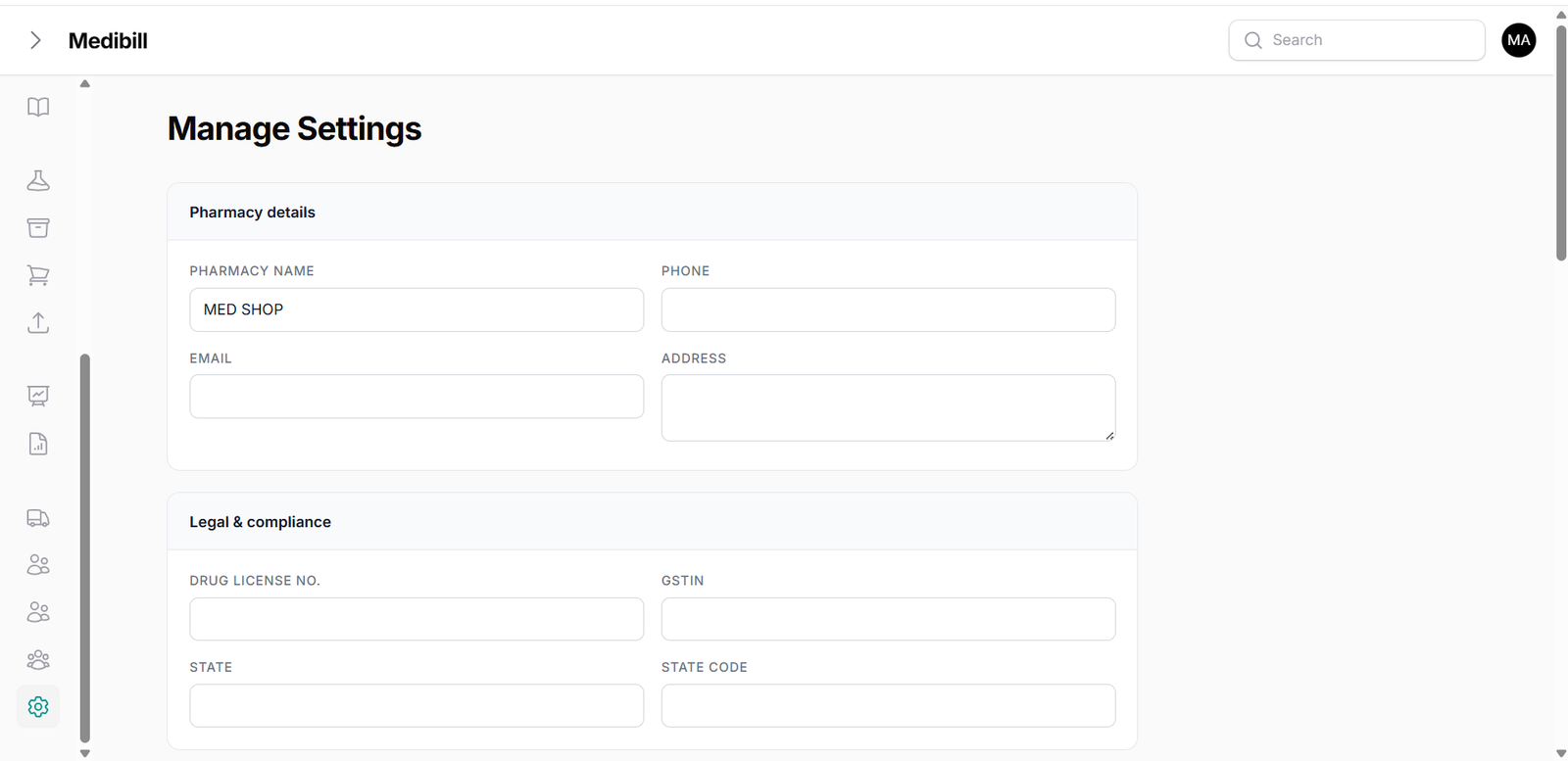
- Shop Config: Update shop name, addresses, phone numbers, and drug licenses (DL 1 & DL 2).
- Invoice Customization: Toggle visible printing fields, headers, cash discount columns, and payment barcodes.
- Advanced Config: Adjust thermal printer styles, default payment channels, and alert thresholds.